Infinity Firefight
Desktop
WASD: Move your character.
Shift: Run.
Spacebar: Jump.
C: Crouch.
Left Mouse Button: Shoot.
Right Mouse Button: Aim.
1–4: Select weapons.
Mouse Wheel / Q: Change weapons.
R: Reload your weapon.
Tab: View the player list.
Esc: Open the pause menu.
F11: Toggle browser fullscreen.
Mobile
- Touch Controls: Use the on-screen controls to move, aim, shoot, and perform available actions.









WHAT IS INFINITY FIREFIGHT?
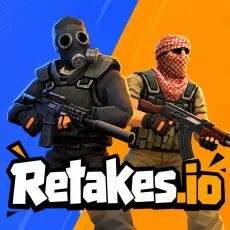
Infinity Firefight is a 3D first-person shooter where you battle AI-controlled opponents in two distinct arenas. Fight through the desert streets of Desert Grey in a bomb planting and defusing mode, or join team deathmatch battles aboard the Transport Ship. Before entering combat, you can choose your team, weapons, team size, and bot difficulty to customize each match. Practice mode also lets you explore either map and improve your shooting skills without jumping straight into competitive objectives. Play for free directly in your browser on desktop or mobile. Pick your loadout, prepare for battle, and take on the enemy bots!
HOW TO PLAY
Choose Your Arena: Select Desert Grey for bomb-based objectives or Transport Ship for team deathmatch battles.
Customize Your Match: Choose your side, weapons, team size, and AI difficulty before starting.
Engage Enemy Bots: Move through the arena, aim carefully, and eliminate AI opponents while avoiding incoming fire.
Complete Your Objectives: Plant or defuse the bomb in Desert Grey, or help your team gain the lead in Transport Ship.
Practice Your Skills: Enter Practice mode to explore the maps, improve your aim, and become familiar with the controls.
Controls
Desktop
WASD: Move your character.
Shift: Run.
Spacebar: Jump.
C: Crouch.
Left Mouse Button: Shoot.
Right Mouse Button: Aim.
1–4: Select weapons.
Mouse Wheel / Q: Change weapons.
R: Reload your weapon.
Tab: View the player list.
Esc: Open the pause menu.
F11: Toggle browser fullscreen.
Mobile
- Touch Controls: Use the on-screen controls to move, aim, shoot, and perform available actions.
Explore Two Arenas With Different Combat Objectives
Infinity Firefight features two maps designed around different styles of FPS combat.
Desert Grey: Battle through desert streets in an objective-based mode focused on planting or defusing a bomb. Positioning and careful movement are important when approaching contested areas.
Transport Ship: Fight aboard a container ship in team deathmatch, where eliminating opponents helps your team compete for the lead.
Each arena introduces a different objective, allowing you to switch between tactical bomb scenarios and faster team-based gunfights.
Customize Matches and Fight AI Opponents
Before starting a match, you can adjust several settings to create your preferred combat experience. Choose your side, select weapons, configure team size, and set the difficulty of your AI opponents.
These options let you experiment with different combat situations. Lower bot difficulty can help you become familiar with aiming and movement, while more challenging settings provide tougher encounters.
Weapon selection also allows you to prepare your loadout before entering the battlefield and switch between available weapons during combat.
Improve Your Aim in Practice Mode
Practice mode provides an opportunity to explore either arena and sharpen your shooting skills.
You can use this mode to become familiar with the map layouts, experiment with weapons, and practice movement before taking on objective-based battles.
Understanding the surroundings and controlling your aim can help you react more effectively when facing AI enemies in regular matches.
Play Free FPS Battles on Desktop and Mobile
The game runs directly in your browser without requiring downloads or installation. Desktop players can use keyboard and mouse controls, while mobile players can access the game through touch controls.
Fullscreen mode is also available for a more immersive view of the battlefield.